Problem
Users need spam report emails to contain standard web (HTTP) links that can be opened by non-Notes clients such as Outlook, Thunderbird, browser-based clients or mobile devices.
Background Information
By default, SpamSentinel generates spam reports using Notes-format links, which require the Notes client to open. Switching to Web format produces standard HTTP URLs that work in any browser. This requires changes in both the Reporting database and the Quarantine profile.
Procedure
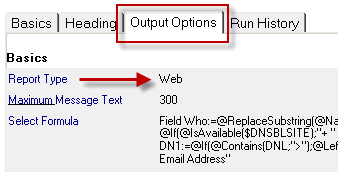
1. Open the SpamSentinel Reporting database (SpamSentinel\Reporting.nsf) and open the User Report document. Set the report format to Web.
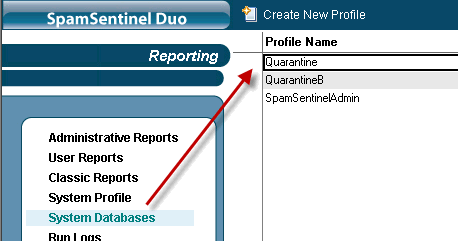
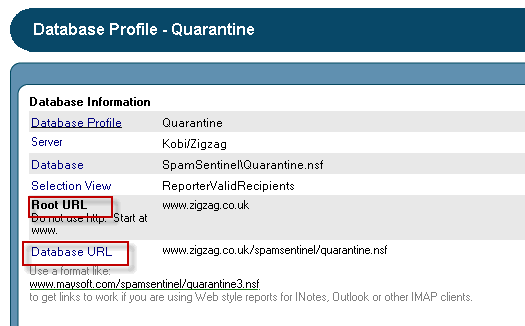
2. Edit the Quarantine profile under System Databases to ensure that URLs are generated properly.
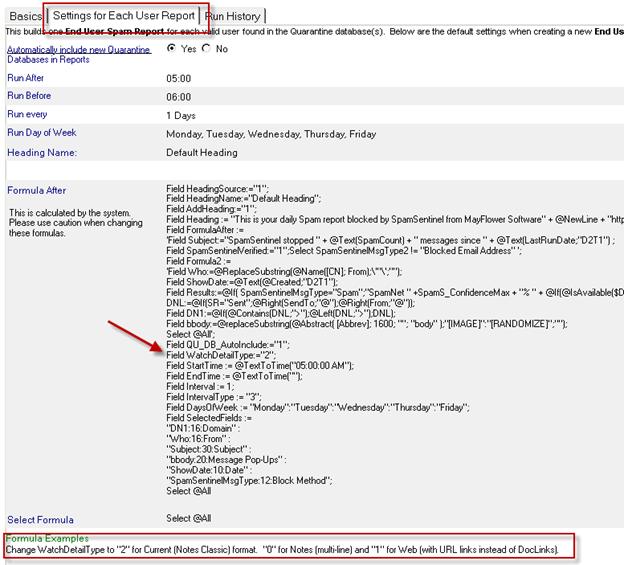
3. To make Web format the default for all newly created User Report documents, open the '1. Create Recipient Spam Reports' document and set WatchDetailType to "1" in the formula section.
4. To update existing User Report documents in bulk, the simplest solution is to delete them all from the User Reports view and allow them to be recreated automatically when '1. Create Recipient Spam Reports' next runs.
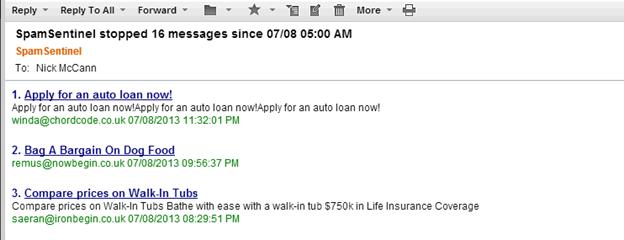
The web format report produces 'Google-like' results showing quarantined messages.
If you need any more information or have trouble with this please contact Technical Support for assistance.
Was this article helpful?
That’s Great!
Thank you for your feedback
Sorry! We couldn't be helpful
Thank you for your feedback
Feedback sent
We appreciate your effort and will try to fix the article